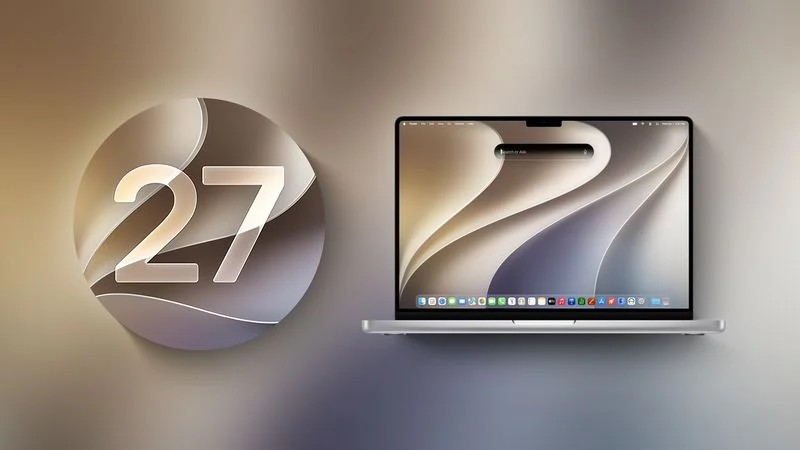
Apple is preparing major releases across its platforms: iOS 27, iPadOS 27, watchOS 27, tvOS 27, visionOS 27, and macOS 27 Golden Gate. Apple previewed the systems at its Worldwide Developers Conference in June, and public betas have been available for testing.
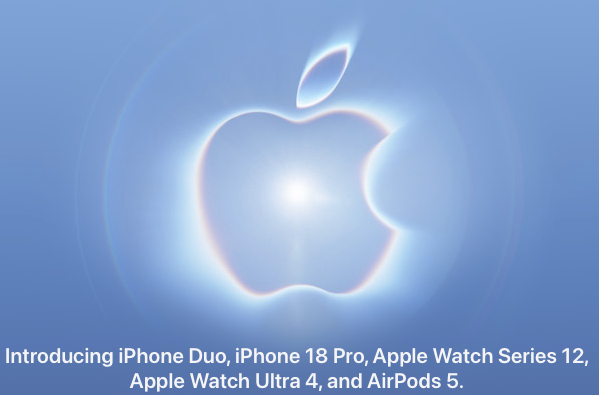
The mobile, tablet, watch, television, and headset releases are expected around the arrival of new iPhone and Apple Watch models in September. iPadOS 27 will likely arrive with iOS 27, alongside tvOS 27 and visionOS 27. Although Apple has sometimes released macOS later in the year, macOS 27 Golden Gate is expected alongside the other systems because the new Mac mini and Mac Studio models will ship with it.
The question for most users and organizations is not whether to upgrade, but when. Delaying a major release can allow Apple to resolve problems missed during testing. Waiting indefinitely, however, can leave devices exposed to security vulnerabilities, create compatibility issues, and postpone useful capabilities. Newly purchased Macs, iPhones, and iPads will also arrive with the latest versions, so organizations should be prepared for an unexpected device replacement that introduces a newer operating system into an existing workflow.
Whatever the platform, make a backup before upgrading a Mac, iPhone, or iPad. A tested recovery plan is particularly important for business-critical devices.
Recommended order for the 27-series releases
A sensible sequence is to update iPhone first, then Apple Watch, followed shortly by iPad. Apple TV and Vision Pro can generally follow on a device-by-device basis. macOS deserves the most caution, especially on a primary Mac or in an environment that depends on older applications and mixed-version workflows.
iOS 27: wait about a week
iOS upgrades are usually safe to install relatively quickly because Apple works to ensure that the release provides a good experience on newly introduced iPhones. Even so, the iPhone is central to everyday life and business authentication for many people, so waiting roughly a week can provide time for unexpected bugs to surface and be addressed.
Apple says iOS 27 includes broad system improvements and performance changes intended to keep older devices feeling responsive. Liquid Glass, the translucent interface material introduced in iOS 26, receives readability and contrast refinements, including a slider for adjusting its tint. Network transitions should be smoother when moving between Wi-Fi and cellular service, and Mail search should surface more relevant results.
New child-safety controls include the ability in Setup Assistant to choose which system apps children can use, parental approval for new websites through Ask to Browse, Communication Safety protections that address gore and violence as well as nudity, and Time Allowances for setting limits across categories. Other additions include GymKit support for compatible gym equipment, improved iCloud Shared Albums access for Android and Windows users, perimenopause tracking in Health, and enhanced Flyover imagery in Maps.
Apple Intelligence and Siri AI are the most substantial focus areas. Siri becomes more capable and conversational, can use personal context such as calendar events, email, photos, and notes, and can take action across more apps. Search-based capabilities can draw on broader world knowledge to answer questions in a manner comparable to services such as ChatGPT and Claude. A dedicated Siri app records conversations and synchronizes them across devices. Write with Siri can draft or critique text anywhere users type.
Siri mode in Camera brings Visual Intelligence to the viewfinder, allowing users to search for or act on what they see. Photos adds AI editing features including Spatial Reframing, Extend, and an improved Clean Up tool. Safari can group tabs by topic and includes Notify Me, which monitors pages for changes such as price reductions or product restocks and provides an alert when action may be useful.
Siri AI requires an iPhone 15 Pro or later. The broader iOS 27 feature set supports devices back to the iPhone 11 and the second-generation iPhone SE.
watchOS 27: update after the iPhone
After an iPhone has been updated to iOS 27 and is operating normally, there is generally little reason to postpone watchOS 27. Few changes should require major adjustments to established habits, although Siri AI may be slow on an Apple Watch Series 9, the oldest model supported by watchOS 26. That performance experience could encourage some users to consider newer Apple Watch hardware.
watchOS 27 introduces conversational Siri AI on the wrist. A dynamic app grid highlights suggested applications, including the most recent and most popular apps, with the Siri app in the center. Workout Buddy provides personalized motivation and new insights into pace, distance, and duration, even when the iPhone is not nearby.
A thumb-and-forefinger tap gesture allows one-handed selection of Smart Stack widgets. The Smart Stack also surfaces more relevant information, such as birthday reminders and the location of a parked car. Cycle Tracking adds perimenopause and menopause support, including symptom logging and educational resources. Liquid Glass receives readability refinements, while Call Context displays relevant information when calling businesses.
Siri AI on the watch requires pairing with an iPhone 15 Pro or later.
iPadOS 27: proceed shortly after release
iPadOS is largely a superset of iOS, so organizations comfortable deploying iOS 27 should generally be able to adopt iPadOS 27 soon afterward. The main exception is any iPad that depends heavily on a particular application. Check that the developer supports the new release before updating a device used for a specialized workflow.
Features shared with iOS include the broader Apple Intelligence and interface changes, while iPad-specific improvements include Visual Intelligence on the iPad display. Users can tap an item with a finger or circle it with an Apple Pencil to learn more or take action. Siri AI can work with handwritten Notes and turn lecture notes into a study guide. Transfers to external drives can be up to five times faster.
tvOS 27: update within a week or two
Apple TV users can generally install tvOS 27 within a week or two, depending on how important the device is to their work or home entertainment setup. The release drops support for Apple TV HD and the first-generation Apple TV 4K. Devices that still meet their owners’ needs do not need to be replaced solely for tvOS 27. Rumors also suggest that a new Apple TV with a Siri AI-capable chip may be forthcoming, while the current release does not prominently include the new assistant.
The Podcasts app is redesigned for improved browsing and playback. Apple Music gains Hi-Res Lossless playback up to 24-bit/192kHz. Apple also promises smoother app launches and animations, faster AirPlay connections, and a more responsive Control Center. Smart Downloads can manage content automatically.
Accessibility updates include Larger Text, which scales text throughout the tvOS interface, auto-transcription in English to provide subtitles where they are not already available, and expanded support for Made for iPhone hearing aids.
Users who do not need these changes immediately can allow the Apple TV to update automatically through Settings > System > Software Updates, provided automatic updates are enabled.
visionOS 27: early adoption is reasonable, with exceptions
Because Vision Pro has not seen widespread adoption, most owners can update shortly after visionOS 27 becomes available. The release supports all Vision Pro units. People with mobility issues or disabilities who rely on Vision Pro as an important part of daily life should wait until early adopters have tested the release and reported that it is dependable.
visionOS 27 includes Siri AI and Visual Intelligence. Users can look at an object and ask Siri about it. Panoramic photos can become spatial scenes and custom Environments, including the new Thórsmörk Environment with an Icelandic aurora. Curved windows in Safari, Freeform, and other apps wrap around the viewer for a more comfortable view.
Spatial previewing allows 3D models from a Mac to be brought into the user’s space for real-time previewing and editing. Other system changes include a redesigned Control Center, notifications that expand simply by looking at them, and Wi-Fi connections that can be up to three times faster. Updated Dwell Control lets users confirm selections by looking at a marker instead of waiting for a timer.
macOS 27 Golden Gate: wait at least one or two months
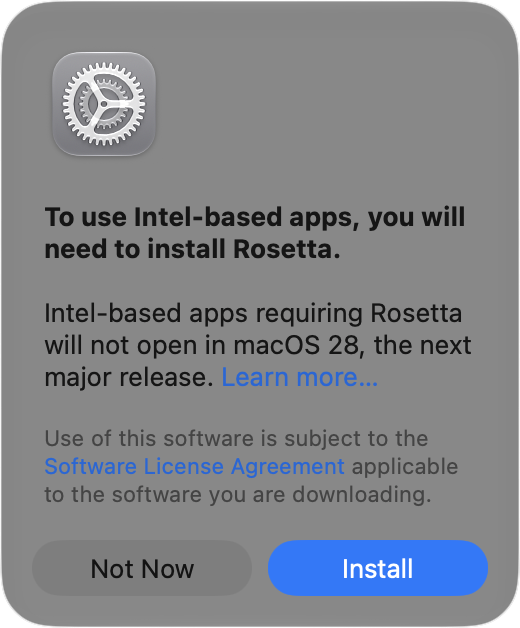
Golden Gate is the release that warrants the most deliberate planning. Intel-based Macs cannot run it because it requires Apple silicon. On Apple silicon Macs, Rosetta 2 continues to support Intel-based applications, but that support is expected to diminish in the future.
Even when mission-critical applications are relatively current, new macOS features are rarely more valuable than preserving a dependable workflow. Organizations should therefore avoid installing Golden Gate on a primary Mac immediately after release. Wait at least one or two months, particularly when older Mac applications are involved, and verify application, peripheral, security, and workflow compatibility first.
Golden Gate brings the dedicated Siri app and synchronized conversations to the Mac. Visual Intelligence can use a screenshot to let users ask Siri about content on the screen. Other Apple Intelligence improvements from iOS and iPadOS also appear in macOS, as do the new child-safety features.
Liquid Glass receives additional refinements, including a transparency slider. macOS also introduces a uniform toolbar across the top of apps, sidebars that extend to window edges, and the return of colored sidebar icons. Apple promises performance improvements, better Spotlight suggestions, improved support for ultrawide external displays, app resizing in iPhone Mirroring, natural-language event creation in Calendar, and updated video podcast playback.
Compatibility is not limited to individual applications. If some people in an office upgrade while others remain on an earlier release, shared workflows and intra-office compatibility may suffer. Businesses should test Golden Gate with their actual applications and processes, confirm that required app updates and bug fixes are available, and use a planned maintenance window. The end-of-year break may provide useful downtime for installation and feature evaluation.
Business deployment checklist
Back up Macs, iPhones, and iPads before every major upgrade.
Identify devices that support the new releases and separate Intel Macs, Apple TV HD units, and first-generation Apple TV 4K devices from supported hardware.
Check compatibility for specialized iPad apps, older Mac applications, peripherals, security tools, and shared office workflows.
Stage iOS and iPadOS updates after the first post-release week, then update Apple Watch devices paired with stable iPhones.
Use a longer pilot period for macOS 27 Golden Gate and avoid mixing upgraded and non-upgraded Macs in workflows that require consistent behavior.
Prepare for newly purchased or replacement devices to arrive with the latest operating system versions.