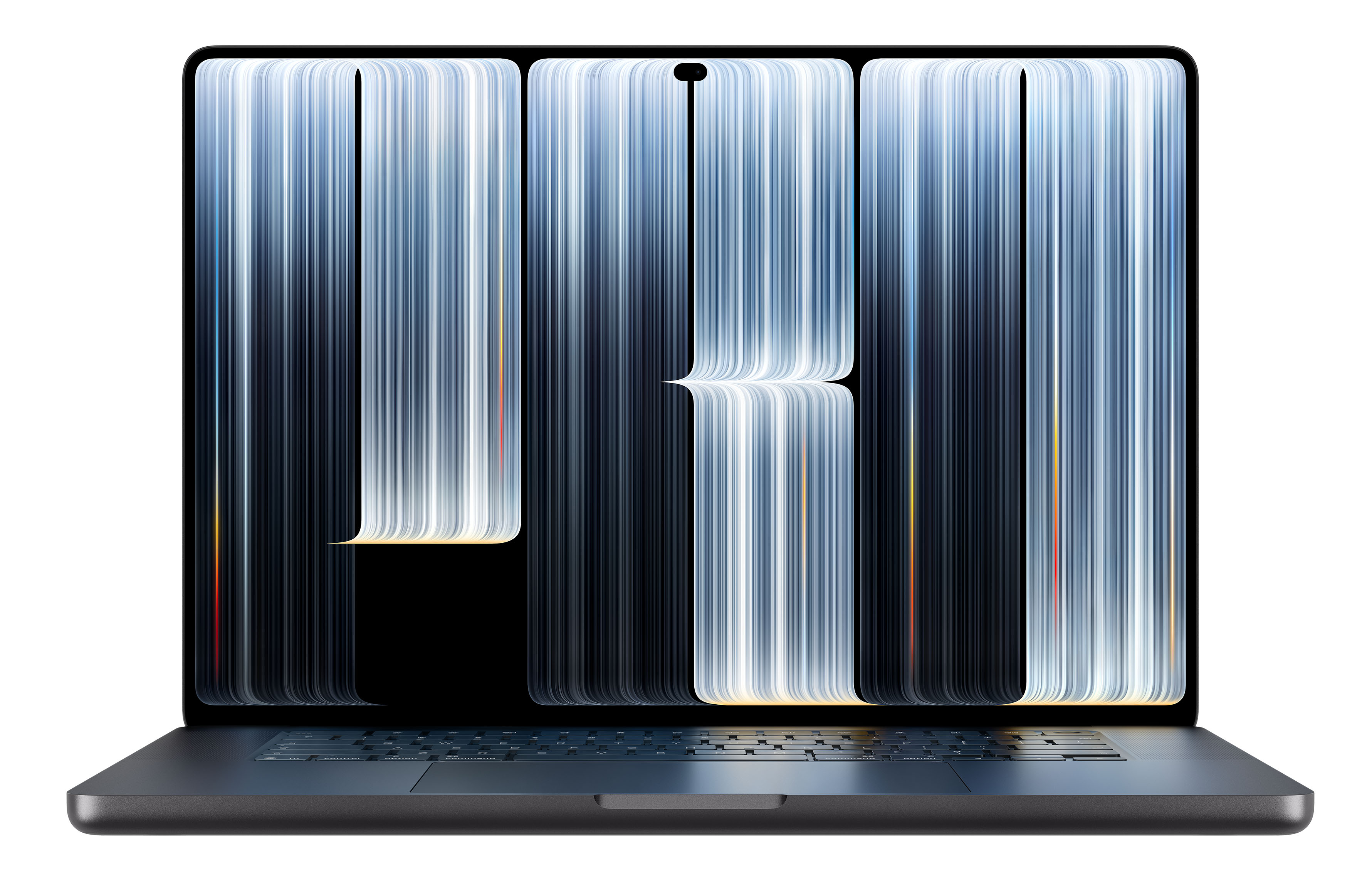
Apple has introduced its first touchscreen Mac after 16 years of arguing that touch belonged on phones and tablets rather than traditional computers. The new MacBook Pro with PROLED XDR Display combines touch input, a tandem OLED panel, and an iPhone-style Dynamic Island. It is available in 14-inch and 16-inch sizes starting at $2,899.
The touchscreen MacBook Pro arrived alongside two less dramatic updates: a 14-inch MacBook Pro with the M6 chip and an iMac with M6. All three systems are available to pre-order, with deliveries and in-store availability beginning November 6, 2026.
The touchscreen MacBook Pro is an M5 system
The most important ordering detail is easy to miss: the touchscreen model does not use Apple’s new M6 chip. It uses the same M5 Pro and M5 Max processors available in MacBook Pro models with conventional Liquid Retina XDR displays. The only M6 MacBook Pro is the base 14-inch model, which retains the existing design.
That means the premium for the touchscreen model is primarily paying for its display, touch capability, and redesigned chassis—not faster processing. At equivalent configurations, the PROLED model costs $400 more than the corresponding M5 Pro or M5 Max model with a Liquid Retina XDR display. The difference is CA$500 for the 14-inch model and CA$600 for the 16-inch model.
M5 Pro pricing begins at $2,899 for the 14-inch touchscreen MacBook Pro and $3,399 for the 16-inch version. M5 Max models start at $4,499 and $4,799, respectively. Only the PROLED M5 Max configuration offers 16 TB of storage; Liquid Retina XDR models top out at 8 TB.
What touch adds to macOS
In macOS 27, users can swipe to scroll, pinch to zoom, and double-tap a window to fill the display or flick it into a tiled position. Existing keyboard shortcuts and trackpad gestures remain available. Because macOS translates many touches into clicks, Apple says numerous existing applications work with touch immediately.
Apple specifically identifies Microsoft Word, Excel, PowerPoint, Outlook, Zoom, Adobe Lightroom, DaVinci Resolve, and Blender as applications that will make fuller use of touch. A footnote says those touch-enhanced versions will be available later in 2026.
Apple has also moved some interaction into the Dynamic Island above the display. It can show Live Activities and Siri AI, letting users answer a phone call, accept an AirDrop request, or pause music with a tap. Spotlight can appear there as well, but only when Siri AI is enabled and available.
Siri AI remains in beta. Since macOS 27.2 arrived October 26, it has supported English, French, Japanese, Korean, Portuguese, and Spanish. If the Mac uses another language—or Siri AI is disabled—Spotlight does not move into the Dynamic Island. Siri AI and other server-dependent features are subject to daily usage limits, with expanded access expected to be offered for a fee in the future.
Display, camera, and chassis changes
The tandem OLED display reaches 2,000 nits for both HDR and SDR content. The Liquid Retina XDR display reaches 1,600 nits for HDR and 1,000 nits for SDR, so the difference should be most visible in bright environments. The PROLED panel also offers a 10,000,000:1 contrast ratio, Adobe RGB in addition to P3, and ProMotion refresh rates ranging from 10 Hz to 120 Hz.
Slimmer bezels increase the 16-inch display from 16.2 inches to 16.3 inches. The PROLED models are also lighter: the 14-inch M5 Pro weighs 3.0 pounds and the 16-inch model weighs 4.0 pounds, compared with 3.5 and 4.7 pounds for the equivalent Liquid Retina XDR versions.
Nano-texture glass is available on any MacBook Pro, whether PROLED or Liquid Retina XDR, for an additional $150 or CA$225. It is intended for users who work in bright light.
A redesigned hinge is intended to keep the display steady when it is being touched. The 12-megapixel Center Stage camera adds video stabilization, helping prevent the image from shaking when someone taps the screen during a call. The glass has a fingerprint-resistant oleophobic coating, an especially practical addition for a frequently touched display.
The Apple logo on the lid also glows again, a feature absent from the MacBook Pro since the 2016 redesign. The PROLED model otherwise comes in space black or silver and retains three Thunderbolt 5 ports, HDMI, an SDXC card slot, MagSafe 3, a headphone jack, a backlit Magic Keyboard with Touch ID, and a Force Touch trackpad.
Apple says a redesigned woofer system produces 50% deeper bass from the six-speaker system. The speakers now have separate tuning for use with the lid closed and an external display connected. Like the M6 MacBook Pro and M6 iMac, the PROLED models include Apple’s N1 chip for Wi-Fi 7 and Bluetooth 6.
Battery and charging considerations
Apple’s claim of up to 24 hours of battery life comes from a 16-inch M5 Pro model. For the 14-inch PROLED model, Apple lists up to 22 hours of video streaming with M5 Pro and 20 hours with M5 Max. Those figures match the 14-inch Liquid Retina XDR models, so the OLED display does not provide additional time away from a charger.
Apple says the PROLED models can reach a 50% charge in 30 minutes, but that requires a 96-watt or higher adapter. The base 14-inch model, which has a 15-core M5 Pro, ships with a 70W adapter. The 96W Apple Power Adapter costs an additional $79. Other configurations include either a 96W or 140W adapter.
The 14-inch M6 MacBook Pro keeps the established design
The 14-inch M6 MacBook Pro starts at $1,999 or CA$2,799 with 16 GB of memory and 1 TB of storage. There is no 512 GB configuration. Its price is unchanged from the M5 model it replaces, although Apple had raised the base MacBook Pro price from $1,699 to $1,999 on June 25 amid a memory shortage.
The M6 has a 12-core CPU and 12-core GPU, adding two cores to each compared with the M5. Apple claims graphics performance of up to 30% higher than the M5. It also has the longest listed battery life of any 14-inch MacBook Pro, at up to 24 hours of video streaming.
Other than the processor and support for Wi-Fi 7 and Bluetooth 6, the M6 model follows the familiar design. It has a Liquid Retina XDR display, no touchscreen, and space black or silver finishes. Its three Thunderbolt 4 ports are slower than the Thunderbolt 5 ports on M5 Pro and M5 Max models.
The M6 supports two external displays. M5 Pro supports three, while M5 Max supports four. The M6 weighs 3.4 pounds and includes a 70W adapter, so buyers who want fast charging need the $79 96W adapter.
Apple’s advertised memory bandwidth of up to 170 GB/s applies only to configurations with 24 GB or 32 GB of memory. The base 16 GB model provides 153 GB/s. That difference is unlikely to matter for ordinary productivity work, but it may matter for users running local AI models or demanding graphics workloads.
The M6 iMac has meaningful configuration differences
The M6 iMac replaces the M4 model while retaining its 24-inch 4.5K Retina display and seven color options: blue, purple, pink, orange, yellow, green, and silver. New connectivity includes Wi-Fi 7, Bluetooth 6, and 2.5-gigabit Ethernet. Apple says the wired connection can be up to 2.5 times faster than the previous model’s.
The entry-level iMac costs $1,499 or CA$2,099 and has a 10-core CPU, 10-core GPU, 16 GB of memory, and 256 GB of storage. The $1,699 or CA$2,299 model has a 12-core CPU and 12-core GPU, with the same memory and storage capacities.
The extra $200 buys more than two additional processor and graphics cores:
- Ports: The 10-core model has two Thunderbolt or USB 4 ports. The 12-core model has four Thunderbolt 4 ports.
- External displays: The 10-core model supports one external display; the 12-core model supports two.
- Ethernet: 2.5-gigabit Ethernet is standard on the 12-core model and optional on the 10-core model at purchase.
- Touch ID: The 12-core model includes a Magic Keyboard with Touch ID. The 10-core model includes a Magic Keyboard without it; the available Touch ID upgrade is the larger Magic Keyboard with Touch ID and Numeric Keypad.
- Upgrade ceiling: The 10-core model is limited to 24 GB of memory and 1 TB of storage. Only the 12-core model can be configured with 32 GB of memory, 2 TB of storage, or nano-texture glass.
Because memory, storage, ports, and external-display support cannot be upgraded later, the 12-core model is the safer choice for an iMac that may eventually drive a second display or connect more than two Thunderbolt or USB-C devices without a hub.
Both iMac configurations include a color-matched Magic Keyboard and Magic Mouse that charge over USB-C. A Magic Trackpad is optional. Organizations mounting an iMac on a wall or adjustable arm should order the version with the built-in VESA Mount Adapter.
Choosing among the new Macs
For email, office applications, and web work, the $1,999 M6 MacBook Pro provides ample capability in a portable system. If the computer will remain at a desk, the iMac offers a larger integrated workspace.
Photo, video, and 3D professionals have stronger reasons to consider the PROLED model. Adobe RGB, higher contrast, greater brightness, and the lighter chassis may justify the premium for users working with color-sensitive content or carrying a MacBook Pro to shoots.
Touch support for Final Cut Pro, Logic Pro, and Pixelmator Pro is expected through Apple Creator Studio updates due “this November,” potentially after November 6. Creator Studio costs $12.99 per month or $129 per year after the three free months included with a new Mac.
The 16-inch touchscreen model starts at $3,399. It makes the most sense when the larger PROLED display is the priority: the $2,999 16-inch Liquid Retina XDR model has the same M5 Pro chip and the same 24-hour battery rating.
Users who operate three or more displays, or who depend on Thunderbolt 5 storage and docks, should avoid the M6 MacBook Pro and select an M5 Pro or M5 Max model with either display type.
Finally, users considering the PROLED MacBook Pro mainly for touch may want to wait for independent reviews and for the touch-ready versions of the applications they rely on. Apple has addressed the technology, software, and interface questions that once stood in the way of a touchscreen Mac, but the practical value will depend on how well those improvements fit each organization’s workflow.