A macOS 27 Upgrade Broke an Older App? Check Rosetta 2 First
An older application that worked before an upgrade to macOS 27 Golden Gate may fail to open if Rosetta is no longer installed. Rosetta 2 is Apple’s translation software for running Intel-based apps on Macs with Apple silicon.
Apple’s macOS 27 release notes say Rosetta 2 is not automatically restored after the operating system upgrade, even if it was installed previously. macOS 27 continues to support Rosetta 2, so checking for it is a sensible first step before replacing software that a business still relies on.
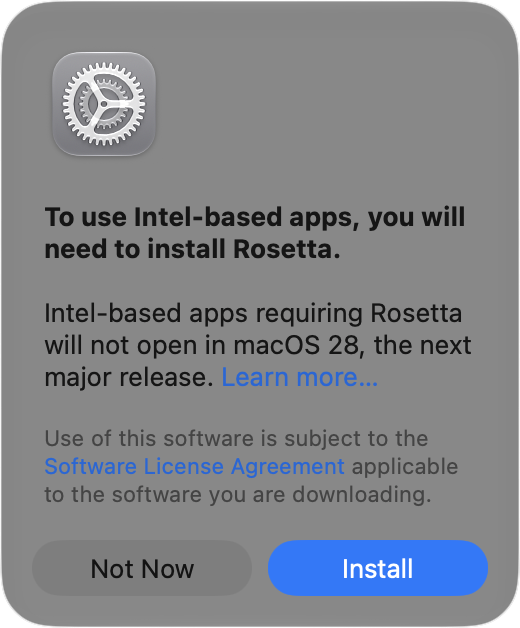
Install Rosetta 2 when the app requests it
Connect the Mac to the Internet and open the affected application. If macOS displays a prompt to install Rosetta 2, choose Install and enter the Mac login credentials when requested.
After the installation finishes, open the application again. Reinstalling Rosetta 2 will not resolve every compatibility problem, but it can address the specific issue of missing translation support after the upgrade.
Install it in advance with Terminal
Administrators can also install Rosetta 2 before a user needs to launch an Intel-based application:
Open Terminal from Applications > Utilities.
Enter softwareupdate --install-rosetta.
Press Return and follow the on-screen instructions.
Preparing Rosetta 2 in advance can be useful when checking a Mac after an operating system upgrade or keeping an older business application available during a transition.
Plan for software that no longer needs Rosetta 2
Rosetta 2 is a compatibility measure, not a permanent answer for every application. Check whether the software developer offers an Apple silicon or Universal version. General Rosetta 2 support ends after macOS 27, so applications that remain Intel-only may require a longer-term replacement plan.